Clean Sweep Junk Files
- 3.6
- Rating
- 100.00K
- Installs
- Free
- Price
 Analysis by App-foxy
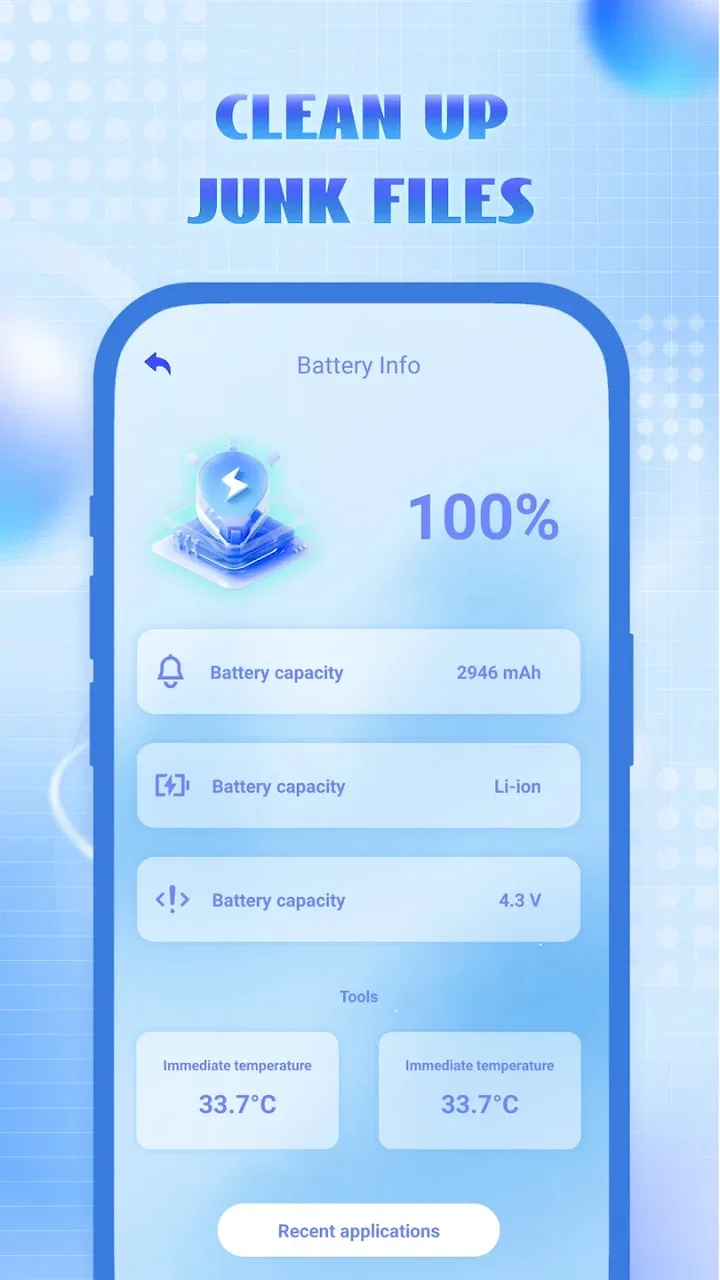
When a phone starts feeling crowded, the problem is rarely one dramatic file. It is usually a messy combination of leftover downloads, temporary clutter, forgotten media, and folders I no longer recognize. Clean Sweep Junk Files, from JHS Freight, is aimed at that ordinary situation rather than at technical users who want a detailed storage-management dashboard. It is a free tools app for Android, rated for Everyone, with a simple promise: help regular users clean up their phones without turning the task into a research project.
I approached it as I would with a friend’s phone: begin with a device that feels untidy, identify what can safely go, decide what deserves a second look, and finish with a little more breathing room. That workflow matters because a cleaner is only useful if it helps me make sensible decisions. Deleting files quickly is easy; knowing which files are safe to remove is the part that deserves care.
From a crowded phone to a manageable cleanup
The first thing I like about the app’s positioning is that it does not pretend every user wants to become a storage expert. Its store summary describes it as a mobile cleaner developed for ordinary users, and that focus comes through in the overall idea behind Clean Sweep Junk Files. I would consider it most suitable for someone who wants a guided starting point instead of opening several system folders and guessing what they contain.
You May Also Like

 Pandora - Music & Podcasts
Pandora’s Music Is Easy to Start, but Harder to Recover
Pandora’s strength is its low-effort path from a seed to a station. Its weak spot is how much confidence it asks you to place in connection, setup, and quiet recovery.

 8 Ball Pool
 Is Built on Rivalries, Rematches, and Routine
A close look at the rivalries, rematches, shared routines, and unanswered safety questions that turn a quick pool match into a persistent mobile community.

 Samsung Music
’s Quiet Strength Is Playing What You Already Own
Its reach comes less from spectacle than from dependable access to a personal library. That simplicity is both the app’s strongest retention engine and its ceiling.

 AccuWeather: Weather Radar
AccuWeather Review: A Quick, Clear Forecast for Everyday Decisions
For everyday plans, the best forecast is the one you can understand quickly. AccuWeather makes rain timing, radar, and local conditions easy to act on, with a few trade-offs.

 Hill Climb Racing
Why Hill Climb Racing Still Turns Crashes Into One More Run
A tiny car, a bumpy hill and one more upgrade: Hill Climb Racing keeps resurfacing because its simple chaos makes every near-miss feel personal.

 AliExpress - Shopping App
AliExpress Makes Global Shopping Feel Personal, but Shoppers Bear the Risk
AliExpress turns a global marketplace into a pocket-sized discovery engine. Its reach is useful, its shopping loop compelling, and its trade-offs easy to miss.
More From Our News Desk
View All News


That also sets a clear limit. A cleaner cannot replace judgment, especially when a phone contains work documents, family photos, downloaded videos, or files shared through messaging apps. I would not treat any cleanup suggestion as an automatic instruction to erase everything. My preferred approach is to use the app as a sorting aid, then pause before removing anything that looks personal or unfamiliar.
The app is currently on version 1.0.1 and requires Android 10 or newer. That makes the Android version of the phone an important first check. If I were helping someone with an older device, I would verify compatibility before planning the cleanup, because a useful tool is no help if it cannot be installed on that handset.
Beginning with the right expectation
Clean Sweep Junk Files is not the kind of app I would choose when I need forensic control over every folder, duplicate, archive, or application package. Its appeal is narrower and more practical: start a routine cleanup from one place and make the process less intimidating. That distinction helps avoid disappointment. Users who want a highly technical storage analyzer may prefer the built-in Files tool or a more specialized manager, while casual users may appreciate having a dedicated cleaner to open when the phone begins to feel disorganized.
Before starting, I would close anything that is actively downloading or editing a file. I would also postpone the cleanup if I am expecting an important attachment or if a backup is still running. This is not a criticism of the app; it is a sensible handoff between the cleaner and the rest of the phone. Removing clutter while another app is using the same files can make it harder to understand what changed afterward.
Following the cleanup flow carefully
My first pass would be an inspection rather than an immediate deletion. I would let the app present its cleaning candidates, then read the labels and locations instead of tapping through on autopilot. The most useful habit here is separating disposable clutter from files that are merely old. Age alone does not make a document useless, and a large file is not automatically junk.
A realistic example is a phone used for a weekend trip. After returning home, the device may contain downloaded maps, screenshots of reservations, duplicate-looking pictures, and videos received in a group chat. I would use Clean Sweep Junk Files to bring attention to the accumulated mess, but I would keep the reservation screenshots until I had transferred the relevant information and would review the photos outside the cleaning step. The app can support the workflow, but I remain responsible for recognizing context.
One practical technique is to clean in rounds. I would first handle items that are clearly temporary or no longer needed, then leave personal media for a separate review. This makes the result easier to judge and reduces the chance of turning a quick storage task into accidental data loss. It also gives me a natural stopping point if the first pass already solves the immediate problem.
Another useful habit is to note which area created the clutter in the first place. If the phone fills up after repeated downloads, the long-term fix is changing that download routine, not repeatedly clearing the same residue. If messaging media is the main source, I would review large conversations directly as well. A cleaner is strongest as a reset button; it is less effective when I expect it to solve a recurring storage habit by itself.
Where the handoffs need attention
The cleanup does not happen in isolation. Clean Sweep Junk Files sits between the phone’s storage system and the user’s decisions. That means the important handoff is from an app-generated suggestion to a human review. I would not skip that moment, particularly on a shared family phone where one person’s “old” file may be another person’s necessary record.
There is also a handoff from cleanup to verification. After removing selected clutter, I would open the gallery, check the downloads area, and confirm that essential documents remain available. If the phone was cleaned because an update or a large download would not fit, I would return to that original task and see whether the available space now solves it. The outcome should be measured by the problem I was trying to fix, not simply by the satisfaction of seeing a cleanup action completed.
This approach is especially important for users who are not comfortable with Android storage terminology. A straightforward cleaner can reduce the number of places they need to visit, but it cannot make every file self-explanatory. I would explain each handoff to a less technical user: the cleaner identifies candidates, the user confirms the choice, and Android or the relevant app reflects the change. That simple division of responsibility prevents overconfidence.
What the result feels like in everyday use
For me, the value of Clean Sweep Junk Files is convenience rather than a promise of dramatic transformation. If a phone has accumulated ordinary clutter, a focused cleaning session can make storage feel less chaotic and make it easier to find the files that actually matter. The app’s free price also makes it easy to try as part of a routine without committing to a paid utility.
Its audience appears broad: the age rating is Everyone, and the app has passed the early discovery stage with over one hundred thousand installs. Its average rating is 3.6 from a few hundred ratings, which I read as a sign of mixed but usable experiences rather than universal enthusiasm. I would go in expecting a practical helper, not a flawless solution for every storage problem.
The developer, JHS Freight, has kept the product’s identity centered on a basic cleaning task. That is helpful for people who dislike crowded interfaces, but it also means advanced users may quickly reach the edge of what they want from a cleaner. I would recommend it to someone who wants a simple first step, especially if they are more likely to use one approachable tool than to learn Android’s storage settings in detail.
There is a subtle trade-off between simplicity and transparency. A compact cleaning experience can reduce decision fatigue, yet I still want enough context to understand why an item is being suggested. If a file name or location is unfamiliar, my advice is to stop and investigate it through the system file manager before approving removal. That extra minute is worthwhile for tax records, school files, travel documents, and anything stored under a generic folder name.
When the workflow breaks down
The flow becomes less suitable when the real problem is not junk but poor organization. If I need to find duplicate photographs, sort a large video library, move files to external storage, or identify which application is consuming the most space, I would use Android’s storage tools or a dedicated file manager instead. Those alternatives are more appropriate when the task requires detailed browsing and deliberate rearrangement rather than a general cleanup.
I would also skip this type of cleaner when I already maintain storage carefully. In that case, an extra cleaning pass may add little value and could create unnecessary decisions. The app makes more sense for occasional maintenance, for a phone that has changed owners, or after a period of heavy downloading and sharing.
Another breaking point is uncertainty. If the app presents something I cannot confidently classify, I would not delete it merely because the device feels full. I would first copy important material elsewhere, open the file from its original application, or ask the person who owns the phone. The safest workflow is not always the fastest one, and a cleaner should not pressure me into treating speed as the main goal.
Compatibility can also stop the process before it begins. Since the current version requires Android 10 or later, owners of older phones need a different route. For supported devices, version 1.0.1 is the release I would evaluate, but I would still keep the phone’s built-in storage controls available as a backup way to inspect what is taking space.
My practical routine with the app
If I were recommending Clean Sweep Junk Files to a friend, I would suggest a short routine rather than constant cleaning. Start when the phone has a specific storage issue, inspect the candidates, remove only items that are clearly unwanted, and then verify the original task. Afterward, deal with the source of the clutter: cancel abandoned downloads, move important media, or review the chat and browser habits that created the buildup.
I would never use a cleaner as a substitute for backups. Before a major cleanup on a phone containing irreplaceable photos or documents, I would make sure those files exist somewhere else. This is one of the most important trade-offs in the whole workflow: convenience is valuable, but recovery options matter more than a tidy storage screen.
For a family member, I would demonstrate the review stage instead of simply performing the cleanup for them. That teaches them how to recognize the difference between temporary clutter and personal content. It also makes future handoffs smoother, because they understand that the app is a helper for finding candidates, not an authority that knows the meaning of every file.
Final assessment for everyday Android users
Clean Sweep Junk Files is a sensible option for ordinary Android users who want a free, approachable way to begin dealing with a crowded phone. I like its clear focus and its suitability for a quick, guided maintenance session. The strongest use case is a device that has gathered routine clutter and needs a manageable first pass, not a specialist tool for deep storage administration.
My recommendation comes with one firm condition: review before removing. The app can make the path from “my phone is full” to “I know where to start” much easier, but the final decision still belongs to me. If that balance suits you, Clean Sweep Junk Files is best treated as a practical cleanup companion, not an automatic delete button.
With its free access, Everyone rating, Android 10 compatibility, and growing presence among Android users, it is easy to consider for a straightforward cleanup job. I would choose it when simplicity is more important than advanced controls, and I would choose the system file manager or a specialized storage tool when I need precise file-by-file management. In short, Clean Sweep Junk Files earns a place in a basic maintenance routine, provided I stay involved at every handoff from scan to decision to verification.
FAQs for Clean Sweep Junk Files
01What is Clean Sweep Junk Files used for?
Clean Sweep Junk Files is designed to optimize your device's performance by removing unnecessary files and cache. This app identifies and cleans junk files, freeing up storage space and improving the overall speed of your Android or iOS device. It's perfect for users looking to enhance device efficiency.
02Is Clean Sweep Junk Files safe to use?
Yes, Clean Sweep Junk Files is safe and user-friendly. The app ensures the protection of your personal data while performing clean-ups. It uses advanced algorithms to identify only non-essential files, avoiding the deletion of critical system files or personal data, making it a reliable choice for users.
03Does Clean Sweep Junk Files affect battery life?
No, Clean Sweep Junk Files is designed to be energy-efficient. By removing junk files and optimizing performance, it can actually contribute to better battery life. The app runs in the background without consuming excessive power, ensuring your device runs smoothly without draining the battery.
04Can Clean Sweep Junk Files improve app performance?
Yes, by removing unnecessary files and freeing up RAM, Clean Sweep Junk Files helps improve the performance of other apps on your device. It reduces lag and enhances responsiveness, ensuring that apps run more smoothly and efficiently, which is particularly beneficial for devices with limited storage.
05Is Clean Sweep Junk Files compatible with all devices?
Clean Sweep Junk Files is compatible with most Android and iOS devices. It supports a wide range of operating system versions, ensuring that users can benefit from its features regardless of their device's age or specifications. Always check the app store listing for compatibility details.
Pros
- User-friendly interface for easy navigation.
- Efficiently frees up significant storage space.
- Boosts device performance noticeably.
- Customizable cleaning options for advanced users.
- Regular updates improve functionality and security.
Cons
- Occasional ads can be intrusive.
- Some features require in-app purchases.
- May mistakenly identify some files as junk.
- Initial scan can be time-consuming.
- Limited support for older OS versions.

Clean Sweep Junk Files
Gallery